Cleveland County Court Dockets provide a clear record of scheduled court hearings and case activity, showing which cases are active and when they will be heard. They are used by attorneys, parties, and the public to track case progress and stay informed about upcoming court events. These dockets help maintain transparency in court operations and make it easier to plan for hearings or legal actions.
A court docket is an official record listing case numbers, parties involved, hearing dates, and recent activity for each case. It typically includes a hearing calendar and a case activity overview, allowing users to see motions, filings, and scheduled hearings at a glance, making it easier to follow case developments. At the Cleveland County Court, reviewing a docket helps anyone quickly understand the status of a case and anticipate upcoming court proceedings.
What Are Court Dockets?
A court docket is a detailed record of all cases scheduled in a court, listing hearing dates and case activity. It serves as an official log for tracking the status of cases and ensuring timely court proceedings.
Court dockets are essential tools in the judicial system. At their core, a docket is a record that shows every case filed in a court and important updates related to those cases. Each entry in the docket, called a docket entry, includes details such as the docket number, case type, parties involved, hearing dates, and the current case status. This information allows attorneys, litigants, and the public to stay informed about the progress of cases and upcoming court activities.
Docket Schedule vs. Hearing Calendar vs. Case Activity
While these terms are often used interchangeably, they have distinct meanings:
- Docket Schedule: This is a chronological list of all cases set for a particular day, week, or month. It organizes cases by hearing dates and ensures the court manages its time efficiently.
- Hearing Calendar: Similar to a docket schedule, a hearing calendar specifically focuses on the dates and times when cases will be heard. It may include trial dates, motion hearings, and other court appearances.
- Case Activity: This refers to the detailed history of a case’s progress. It includes filings, motions, orders, and all updates from the first filing to the final judgment.
By reviewing case activity, users can monitor the current case status, check for any changes in scheduled hearings, and confirm whether any new actions have been recorded in the docket.
Why Docket Entries Matter
Docket entries are vital for several reasons:
- Track Hearing Dates: They help attorneys, parties, and the public know when a case is scheduled for court.
- Monitor Case Status: Each entry shows whether a case is active, pending, or resolved.
- Ensure Transparency: Public access to docket information promotes accountability in the court system.
- Reference with Docket Number: The docket number serves as a unique identifier, making it easy to locate a specific case and its updates.
Courts like those in Cleveland County rely heavily on docket schedules to maintain order and efficiency. For anyone involved in legal matters, keeping an eye on docket entries and hearing dates is key to staying informed and prepared.
Cleveland County Court Dockets Search
Cleveland County court dockets can be searched online to check case activity, hearing dates, and filing history. Using official websites ensures the information is accurate, complete, and up to date.
Correct Method to Search Cleveland County Court Dockets
A proper search strategy improves results and reduces missed records. Users should follow these steps:
- Start with the case number if available—it provides the fastest match.
- Use a party name if the case number is unknown.
- Filter by filing year or court type to narrow results.
- Open the docket to review case activity, hearing dates, and filings.
Tips for accurate results:
- Spell names exactly as they appear in filings.
- Avoid extra fields that could block matches.
- For partial name searches, remove middle initials if needed.
Following this method ensures users find the right court docket quickly and efficiently.
Where to View Cleveland County Court Records
Official Cleveland County court records are available through these websites:
- Cleveland County Clerk of Court
- Website: https://clevelandcountyok.com/198/District-Court-Clerk
- Offers case lookups, filing history, and basic docket schedules for free.
- North Carolina Judicial Branch – Online Records
- Website: https://www.nccourts.gov/services/
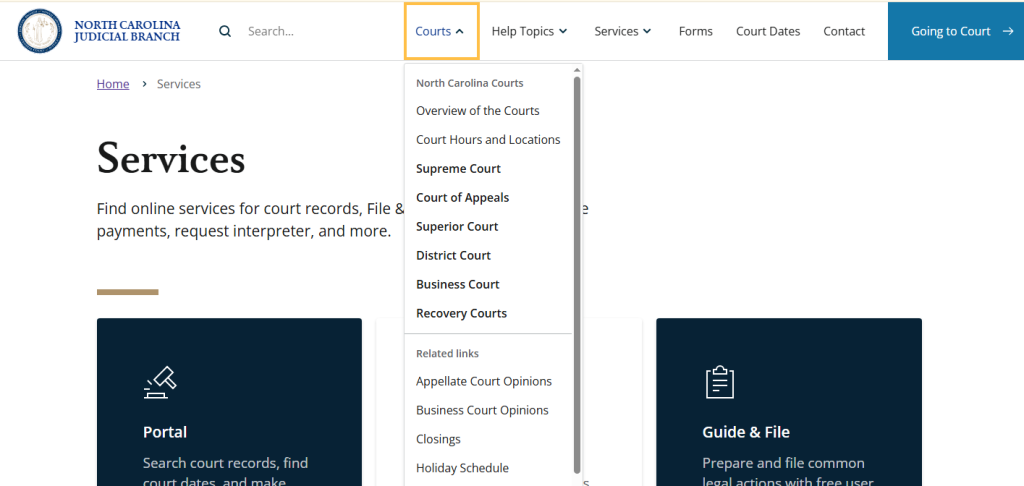
- Allows users to search cases by name, case number, and filing year. Some documents may require a small fee.
- Third-party public court record sites
- Examples: Justia (https://www.justia.com) or PublicRecordsNow (https://www.publicrecordsnow.com)
- Provide consolidated search options, but may charge per search or for downloading full documents.
Court Record Costs and Download Fees
The cost of accessing court documents varies by source. Basic docket searches are usually free, but downloading full filings or certified copies incurs fees.
| Record Source | Search Cost | View Docket | Download Documents | Certified Copies |
|---|---|---|---|---|
| Cleveland County Clerk of Court | Free | Free | $0.25–$1 per page | $5–$10 per copy |
| NC Judicial Branch Portal | Free | Free | $0.50–$1 per page | Varies |
| Third-party record sites | Subscription or per search | Included | Extra fee | Usually not available |
Users can view docket schedules, hearing calendars, and case activity for free on official sites. Downloading filings or certified copies carries additional charges.
How to Look Up Cleveland County Court Dockets
Looking up Cleveland County court dockets is straightforward with the right online tools and official resources. Individuals can check case activity using the Oklahoma State Courts Network (OSCN) or request records directly from the county clerk.
Official Oklahoma Docket Search (OSCN System)
The OSCN (Oklahoma State Courts Network) system provides free online access to court dockets, filings, and case information for Cleveland County. This platform allows users to perform a court case lookup quickly using basic case details.
Instructions to Use OSCN:
- Visit the OSCN website: Go to oscn.net.
- Select the county: Choose “Cleveland County” from the county menu.
- Choose your search method: Options include case number search, party name search, or attorney search.
- Enter search details:
- Case Number: Input the full case number if known for precise results.
- Party Name: Enter the first and last name of a party involved.
- Additional fields, such as case type or filing year, can refine results.
- View docket results: The system will display a list of docket entries, showing hearings, motions, and other case activities.
- Review case activity: Each docket entry includes dates, descriptions, and status updates, helping users track upcoming hearings or past proceedings.
Tips for Using OSCN Effectively:
- For faster results, always enter the exact spelling of names.
- If the case number is available, using it provides more accurate and complete information.
- Docket entries are updated regularly, but some filings may take a few days to appear.
Other Helpful Tools & Resources
Beyond OSCN, Cleveland County provides additional ways to obtain docket information or official records.
Cleveland County Court Clerk Records
The Cleveland County Clerk’s Office maintains official case files and docket sheets. Users can request records in person, by mail, or online.
- Website: clevelandcountyok.com
- Services: Access to docket sheets, case files, and court documents.
- Request process:
- Provide the case number or party name.
- Specify the type of document required.
- Some records may require fees for copies.
eCourts Tools (Other Jurisdictions)
Some users may confuse Oklahoma dockets with systems in other states. For instance, North Carolina courts provide eCourt tools through nccourts.gov for court dates and public records. This highlights that each state has a separate system for online court access.
Quick Reference Table for Cleveland County Docket Lookup
| Tool / Resource | Purpose | How to Access | Notes |
|---|---|---|---|
| OSCN | Free online docket search | oscn.net | Use case number or party name for fastest results |
| Cleveland County Clerk | Official records and docket sheets | clevelandcountyok.com | May require fees; request by case number or party name |
| eCourts (Other States) | State-specific court search | nccourts.gov | Only relevant for NC jurisdiction; shows court dates and fili |
Case Activity Explained
Case activity provides a snapshot of every step a legal matter takes through the Cleveland County courts. It shows the actions, changes, and upcoming events in a case, giving anyone reviewing the docket a clear view of what has happened and what is next.
What Case Activity Shows
Case activity, often listed as docket entries, records every movement or decision in a case. Each entry includes the date, the type of event, and a brief description. This allows users to see how the case is progressing and what the next steps might be. Typical entries include:
- Filing of documents: Complaints, responses, or motions submitted to the court.
- Scheduled hearings: Dates for hearings, pre-trial conferences, or status checks.
- Continuances: Rescheduled hearings or trial dates, often due to conflicts or requests from parties.
- Dispositions: Outcomes such as dismissal, settlement, or verdict.
- Trial notices: Announcements of trial dates and related procedures.
These entries act as a timeline, showing how quickly or slowly a case moves through the court system. For example, a case with multiple continuances may indicate scheduling conflicts or ongoing negotiations.
Examples of Case Activity Events
Understanding specific types of case activity can make it easier to interpret the docket. Some common events include:
- Motion Hearings: Courts review requests such as motions to dismiss or motions for summary judgment.
- Status Conferences: Judges and parties discuss case progress, deadlines, or settlement options.
- Trial Scheduling: Official notices set trial dates and related requirements.
- Judgments and Orders: Final decisions or interim rulings affecting the case’s outcome.
Each entry provides a concise record of the court’s actions and alerts parties to upcoming responsibilities.
Tracking Ongoing Case Activity
To follow a case’s progression, Cleveland County maintains public docket records. Users can:
- Check updates regularly to see new filings or scheduled events.
- Note the sequence of events to anticipate the next steps.
- Use the case number as a reference to filter specific entries.
Keeping track of these updates helps attorneys, parties, and interested individuals stay informed about case activity and its impact on the legal process.
| Type of Activity | Description | Example |
|---|---|---|
| Filing | Submission of documents to the court | Complaint filed on 11/01/2025 |
| Hearing | Scheduled court session | Motion hearing on 11/15/2025 |
| Continuance | Rescheduled event | Trial continued from 12/01 to 12/15 |
| Disposition | Outcome of a case stage | Case dismissed with prejudice |
| Trial Notice | Notification of trial date | Jury trial set for 01/10/2026 |
The Docket Schedules & Hearing Calendars
A docket schedule lists the timing and order of court cases, while a hearing calendar shows the dates and types of hearings set by the court. Both are key tools for tracking legal proceedings in Cleveland County.
Docket Schedule vs Hearing Calendar
A docket schedule is essentially a roadmap of court activities. It organizes cases by date, time, case number, and assigned judge, providing an overview of what the court handles each day. This schedule often includes:
- Trials – full hearings where evidence is presented.
- Motions – requests for the court to make a ruling on specific matters.
- Status hearings – check-ins on case progress.
- Pre-trial conferences – discussions to set timelines or resolve minor issues.
A hearing calendar, on the other hand, focuses specifically on scheduled hearings. It emphasizes hearing dates, times, and courtroom assignments. This calendar helps attorneys, parties, and the public know exactly when a hearing occurs, rather than providing a full list of all court events.
Typical Court Events
Cleveland County organizes its court events into structured categories. Knowing what each entry means can make reading the docket much easier. Common court event types include:
- Arraignments – initial appearance where charges are read.
- Motions and petitions – requests for court orders or decisions.
- Trials – both criminal and civil, where evidence is presented, and decisions are made.
- Sentencing hearings – judges issue penalties after conviction.
- Calendar calls – brief meetings to schedule upcoming hearings.
These events are often color-coded or listed sequentially on the docket to indicate priority or courtroom assignment.
How Cleveland County Organizes Docket Events
In Cleveland County, docket events are usually arranged chronologically. Each entry contains several key details:
| Column | What it Shows |
|---|---|
| Time | When will the event start? |
| Case Number | Unique identifier for the case. |
| Parties | Names of the plaintiff and defendant. |
| Judge/Division | When will the event start. |
| Event Type | Describes the hearing, trial, or motion. |
Courts often update the docket regularly to reflect rescheduled hearings or new filings, making it a dynamic record of court activity.
Tips on Reading Docket Entries
To make the most of a docket schedule or hearing calendar:
- Check the time carefully – some events may be listed in morning or afternoon sessions.
- Look for the judge’s name or courtroom – it helps identify the correct location.
- Note the case type – civil, criminal, probate, or family court cases may appear differently.
- Understand shorthand abbreviations – common terms include:
- MTN – motion
- TRIAL – trial
- STATUS – status hearing
- Track updates frequently – calendars may change if cases are continued or settled.
By reviewing both the docket schedule and hearing calendar, parties can anticipate upcoming events, plan accordingly, and follow hearing dates with clarity.
Step Sample Walkthrough
A court docket search becomes clear once users see a real example from start to finish. Case Search tools allow individuals to quickly locate relevant court cases, making it easier to track proceedings and important updates. This walkthrough shows how to look up court dockets, read a docket schedule, and spot key case updates in minutes.
Sample Scenario: A Realistic Court Docket Search
This example uses a fictional case to show how a typical Cleveland County court docket search works. The case details, names, and numbers below serve only as a visual reference.
Dummy Case Example (For Illustration Only)
| Field | Sample Entry |
|---|---|
| Case Number | 24-CV-1023 |
| Case Type | Civil |
| Party Name | Jordan Smith vs. Apex Services |
| Filing Date | March 12, 2024 |
| Current Status | Pending |
| Assigned Court | District Court |
| Next Hearing | August 22, 2025 – 9:00 AM |
A sample screenshot would show a search bar at the top, filters on the left, and results listed in rows like the table above.
Enter Case Details in the Search Tool
The process begins by entering one known detail into the docket search field. Common options include a party name, case number, or filing year. After typing “Jordan Smith,” the system returns several matches. From here, the user selects the case with the correct filing date and court type. This step helps narrow results fast and avoids confusion with similar names.
Common search fields include:
- Party or business name
- Case number
- Court division
- Filing date range
This step shows how to look up court dockets without guessing or scrolling through long lists.
Review the Case Summary Page
Once the case opens, the summary page appears at the top. This section gives a quick look at the case profile before scrolling.
The summary usually displays:
- Case status (pending, closed, continued)
- Court location and division
- Assigned judge or courtroom
- Original filing date
Status labels act as fast signals. A “pending” label points to future activity. A “closed” label signals no upcoming hearings.
Read the Docket Schedule
Scrolling down reveals the docket schedule, listed in date order. Each row reflects a court event tied to the case.
Sample docket entries may include:
- Complaint filed
- Summons issued
- Motion hearing scheduled
- Order entered
- Trial date set
Dates on this list matter. Past events sit at the top or bottom based on sorting. Future hearings appear with bold dates or icons. This layout helps users spot what has already happened and what comes next.
Identify Upcoming Hearings and Past Events
Upcoming hearings usually show:
- Exact date and time
- Event type (motion, status conference, trial)
- Courtroom number
Past events show similar details, though they often include result notes like “granted,” “denied,” or “continued.” Reading these notes helps users track case progress without legal jargon.
Spot Status Indicators and Notes
Small labels and notes carry big meaning. Words like continued, rescheduled, or disposed signal changes in the docket schedule.
Many dockets include short clerk notes. These notes explain delays, judge orders, or schedule changes in plain language. Checking these notes saves time and reduces confusion.
Locations & Jurisdiction Details
Cleveland County Court dockets are tied to specific courthouse addresses and departments, and knowing where a case is heard helps users read hearing calendars correctly. Physical locations — with addresses, phone numbers, and official contacts — connect online docket schedules to real-world court activity.
Court docket lists show when cases appear on a judge’s calendar, but they reflect actions that happen inside a specific Cleveland County Court location. Having courthouse contact details and jurisdiction info reduces confusion about docket schedules, helps with planning for in‑person hearings, and builds confidence that users are looking at the right court docket for their case.
Cleveland County District Court Location
The District Court of Cleveland County is the main trial court where most docket activity takes place. This court handles civil disputes, criminal charges, traffic cases, and family law matters, so most Cleveland County Court Dockets originate here.
District Court of Cleveland County
Street Address: 200 S. Peters Ave., Norman, OK 73069
Phone: (405) 321‑6402
Email: info@clevelandcountyok.com
Zip Code: 73069
At this location, a court docket includes case numbers, scheduled hearing dates, and assigned judge calendars. Each case is tied to a courtroom assignment, and hearing times vary with courtroom use and the judge’s schedule. Users reviewing a docket should match the listed judge or courtroom with the district court location to plan attendance.
Cleveland County Courthouse & Court Clerk’s Office
The Cleveland County courthouse houses the primary court clerk’s office that maintains official docket sheets, case filings, and schedule confirmations.
Cleveland County Courthouse / Court Clerk Office
Physical Address: 200 S. Peters Ave., Norman, OK 73069
District Court Clerk: Marilyn Williams
Mailing (records): 200 S. Peters Ave., Norman, OK 73069
Phone: (405) 321‑6402
Email: clerk@clevelandcountyok.com
The clerk’s office manages public court records, official docket sheets, filings, and responses to records requests. Users can call or visit this office to confirm a docket schedule or request copies of records (some may involve fees).
How Court Locations Affect Docket Schedules & Hearing Calendars
Hearing calendars tie directly to assigned courthouses and judge schedules. A case may appear on one calendar but shift if courtroom availability changes. To check a hearing calendar:
- Confirm the correct courthouse address (200 S. Peters Ave.).
- Verify the right department or judge listed on the docket.
- Contact the court clerk’s office to confirm the latest schedule.
This helps anyone attending in‑person hearings avoid errors when reading a docket schedule.
(FAQs) About Court Dockets
This section answers common questions about Cleveland County court dockets, the hearing calendar, and docket lookup details. Each answer explains what readers see on court records and how to read updates with confidence.
How do I find my case docket in Cleveland County?
A Cleveland County case docket appears through the county clerk of court’s public case search system. A person searches by entering a party name, case number, or citation number, then selects the correct court division to view results. Search results usually display the case title, filing date, and current status. Reviewing the full docket page shows past events, scheduled hearings, and recent court actions tied to that case.
What is a docket number, and where do I find it?
A docket number is a unique identifier assigned by the court when a case is filed. It links every filing, hearing, and ruling to one official record. This number often appears on mailed court notices, filed paperwork, and online search results. Using the docket number during a docket lookup speeds up future searches and limits errors.
Can I see the hearing calendar online?
Yes, Cleveland County courts publish a hearing calendar through their online scheduling system. The calendar lists upcoming hearings by date, courtroom, and judge. Each calendar entry usually includes the case number, party names, and start time. Checking the hearing calendar close to the court date helps confirm scheduling accuracy.
What does “continued” mean on a docket?
When a docket shows the word “continued,” the court moved a scheduled hearing to a later date. Judges may grant continuances for scheduling conflicts, legal preparation, or court workload reasons. The docket entry often updates with a new hearing date. Readers should check the hearing calendar again to confirm the revised schedule.
How recent is the docket schedule update?
Cleveland County court dockets usually update on business days. Many changes appear within one day after a filing or court order. Some updates may be posted later during holidays or heavy court activity. Reviewing the docket lookup page again the next day often shows the latest information.